NuGet 添加 System.IO.Ports 包

private SerialPort port;

port = new SerialPort("com6",9600,Parity.None, 8, StopBits.One);
port.ReadTimeout = 500;
port.WriteTimeout = 500;

port.Open();

if (false == port.IsOpen)
{
Console.WriteLine("open failed.");
}else
{

port.DataReceived += new SerialDataReceivedEventHandler(sp_DataReceived);

// taskSerialRead = new Task(() => { Read(); });
// taskSerialRead.Start();

port.Write("ST");
}

void sp_DataReceived(object sender, SerialDataReceivedEventArgs e)
{
Thread.Sleep(500);
Char[] buf = new Char[5];
buf[2] = '\0';
int iRet = port.Read(buf,0,2);

string str = new string(buf);
Console.WriteLine($"read: {str}");
if (str == "AB")
{
port.Write("CD");
}
// Invokes the delegate on the UI thread, and sends the data that was received to the invoked method.
// ---- The "si_DataReceived" method will be executed on the UI thread which allows populating of the textbox.
// this.BeginInvoke(new SetTextDeleg(si_DataReceived), new object[] { data });
}
阅读全文 »

角度制的定义: 用度(°)、分(′)、秒(″)来测量角的大小的制度叫做角度制。 把周角分成360等份,每一份是一度,记作1°。把每一度分成60等份,每一份是一分,记作1′。把每一分分成60等份,每一份是一秒,记作1″。

if (App.db.m_config[0].AutoStart)
{
ShortcutProc(true, "SPCAssist", ((SPCAssist.MainWindow)Application.Current.MainWindow).appPath + "/SPCAssist.exe", "SPC 自动切换任务工具");
}else
{
ShortcutProc(false, "SPCAssist", ((SPCAssist.MainWindow)Application.Current.MainWindow).appPath + "/SPCAssist.exe", "SPC 自动切换任务工具");
}

public static bool ShortcutProc(bool isEnable, string shortcutName, string targetPath,string description = null)
{
try
{
// 获取全局 开始 文件夹位置
string start_folder = Environment.GetFolderPath(Environment.SpecialFolder.CommonStartup);
// 获取当前登录用户的 开始 文件夹位置
//Environment.GetFolderPath(Environment.SpecialFolder.Startup);

//添加引用 Com 中搜索 Windows Script Host Object Model
string shortcutPath = System.IO.Path.Combine(start_folder, string.Format("{0}.lnk", shortcutName));
if (isEnable)
{
IWshRuntimeLibrary.WshShell shell = new IWshRuntimeLibrary.WshShell();
IWshRuntimeLibrary.IWshShortcut shortcut = (IWshRuntimeLibrary.IWshShortcut)shell.CreateShortcut(shortcutPath);//创建快捷方式对象
shortcut.TargetPath = targetPath;//指定目标路径
shortcut.WorkingDirectory = System.IO.Path.GetDirectoryName(targetPath);//设置起始位置
shortcut.WindowStyle = 1;//设置运行方式,默认为常规窗口
shortcut.Description = description;//设置备注
shortcut.IconLocation = targetPath;//设置图标路径
shortcut.Save();//保存快捷方式

}else
{
try
{
System.IO.File.Delete(shortcutPath);
}
catch (System.IO.IOException e)
{
Console.WriteLine(e.Message);
Log.Error($"delete shortcut failed. msg={e.Message}");
return false;
}
}

return true;
}
catch(Exception e)
{
Log.Error($"operate shortcut failed. msg={e.Message}");
}
return false;
}

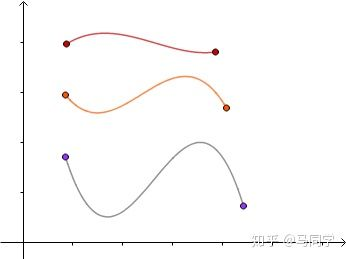
表明曲线偏离直线的程度。数学上表明曲线在某一点的弯曲程度的数值。
曲率越大,表示曲线的弯曲程度越大。曲率的倒数就是曲率半径。

如果知道导数的话,曲率也很好解释啊。
导数就是把曲线的一小段当成直线,所得直线的斜率。
曲率半径就是把曲线的一小段当成圆,所得圆的半径。
曲率就是曲率半径的倒数。因为半径越大的圆,弯曲程度越小嘛。

曲率是几何体不平坦程度的一种衡量。

20200728_132523.png

样例

private TcpClient client = new TcpClient();
public MainWindow()
{
InitializeComponent();
}

private void btn_client_start_Click(object sender, RoutedEventArgs e)
{
// tcp client demo
var hostname = "localhost";
try
{
client.Connect(hostname, 8000);
}catch(Exception ex)
{
MessageBox.Show($"connect failed. msg={ex.Message}");
}

using NetworkStream networkStream = client.GetStream();
networkStream.ReadTimeout = 2000;

using var writer = new StreamWriter(networkStream);

var message = "HEAD / HTTP/1.1\r\nHost: webcode.me\r\nUser-Agent: C# program\r\n"
+ "Connection: close\r\nAccept: text/html\r\n\r\n";

Console.WriteLine(message);


byte[] bytes = Encoding.UTF8.GetBytes(message);
networkStream.Write(bytes, 0, bytes.Length);

using var reader = new StreamReader(networkStream, Encoding.UTF8);
string resp = reader.ReadToEnd();

}

20200724_163721.png

选择文件

<TextBlock VerticalAlignment="Center" Margin="4,0">测量项监控目录:</TextBlock>
<TextBox x:Name="tb_monitor_path" Width="500" VerticalAlignment="Center" Text="{Binding Path=MonitorPath, Mode=TwoWay, UpdateSourceTrigger=PropertyChanged}"></TextBox>
<Button x:Name="btn_browse" VerticalAlignment="Center" Margin="4,0" Click="btn_browse_Click">浏 览</Button>


var openFileDialog = new Microsoft.Win32.OpenFileDialog()
{
Filter = "Excel Files (*.sql)|*.sql|All files (*.*)|*.*"
};
var result = openFileDialog.ShowDialog();
if (result == true)
{
this.textblock_filename.Text = openFileDialog.FileName;
}

选择文件夹

.net core

// 项目名称上 右键菜单- Edit project file
// 项目里面添加 <UseWindowsForms>true</UseWindowsForms>
<PropertyGroup>
<OutputType>WinExe</OutputType>
<TargetFramework>netcoreapp3.1</TargetFramework>
<UseWPF>true</UseWPF>
<UseWindowsForms>true</UseWindowsForms>
</PropertyGroup>

// 代码如下
private void btn_monitor_browse_Click(object sender, RoutedEventArgs e)
{
System.Windows.Forms.FolderBrowserDialog fbd = new System.Windows.Forms.FolderBrowserDialog();
System.Windows.Forms.DialogResult result = fbd.ShowDialog();

if (result == System.Windows.Forms.DialogResult.Cancel)
{
return;
}
tb_monitor_path.Text = fbd.SelectedPath.Trim();
App.db.Update_model<Model_config>(App.db.m_config[0]);
}

.net framework

项目右键 add reference- Assemblies -System.Windows.Forms

正弦波

// 正弦波
// 周期
var cycle = 8;
// 幅度
var magnitude = 100;
for (double x = 1.0; x < 100.0; ++x)
{
double y = Math.Sin(x / 180 * Math.PI * cycle) * magnitude;
list_x.Add(x);
list_y.Add(y);
}
// chart.Add(ref list_x, ref list_y);

Mutex mutex = null;

[DllImport("user32.dll", EntryPoint = "FindWindow")]
private static extern IntPtr FindWindow(string sClass, string sWindow);

[DllImport("user32.dll")]
public static extern bool SetForegroundWindow(IntPtr hWnd);

[DllImport("user32.dll")]
public static extern void SwitchToThisWindow(IntPtr hWnd, bool fAltTab);

[DllImport("user32.dll", SetLastError = true)]
static extern bool ShowWindow(IntPtr hWnd, int nCmdShow);

const int SW_HIDE = 0;
const int SW_SHOWNORMAL = 1;
const int SW_RESTORE = 9;
const int SW_SHOW = 5;

private void Application_Startup(object sender, StartupEventArgs e)
{
bool createdNew = false;
mutex = new Mutex(true, "SPCAssist", out createdNew);
if (!createdNew)
{
IntPtr hWndPtr = FindWindow(null, "SPCAssist");
//移动到最前
SwitchToThisWindow(hWndPtr, true);
//s2;显示窗体
ShowWindow(hWndPtr, SW_SHOW| SW_RESTORE);
//s3: 置顶
SetForegroundWindow(hWndPtr);
Shutdown();
}
...
}

[DllImport("user32.dll", SetLastError = true)]
static extern bool PostMessage(IntPtr hWnd, uint Msg,
IntPtr wParam, IntPtr lParam);

[DllImport("user32.dll")]
static extern bool PostThreadMessage(uint idThread, uint Msg,
UIntPtr wParam, IntPtr lParam);

[DllImport("user32.dll", SetLastError=true, CharSet=CharSet.Auto)]
static extern bool SendMessageCallback(IntPtr hWnd, uint Msg,
UIntPtr wParam, IntPtr lParam,
SendMessageDelegate lpCallBack, UIntPtr dwData);

[DllImport("user32.dll", SetLastError=true, CharSet=CharSet.Auto)]
static extern bool SendNotifyMessage(IntPtr hWnd, uint Msg,
UIntPtr wParam, IntPtr lParam);


SendMessage() – Sends the specified message to a window or windows, calls the window procedure for the specified window and does not return until the window procedure has processed the message.
PostMessage() – Posts a message in the message queue associated with the thread that created the specified window and returns without waiting for the thread to process the message.
PostThreadMessage() – Posts a message to the message queue of the specified thread. It returns without waiting for the thread to process the message.
SendNotifyMessage() – Sends the specified message to a window or windows. If the window was created by the calling thread, SendNotifyMessage calls the window procedure for the window and does not return until the window procedure has processed the message. If the window was created by a different thread, SendNotifyMessage passes the message to the window procedure and returns immediately; it does not wait for the window procedure to finish processing the message.
SendMessageCallback() – Calls the window procedure for the specified window and returns immediately. After the window procedure processes the message, the system calls the specified callback function, passing the result of the message processing and an application-defined value to the callback function.