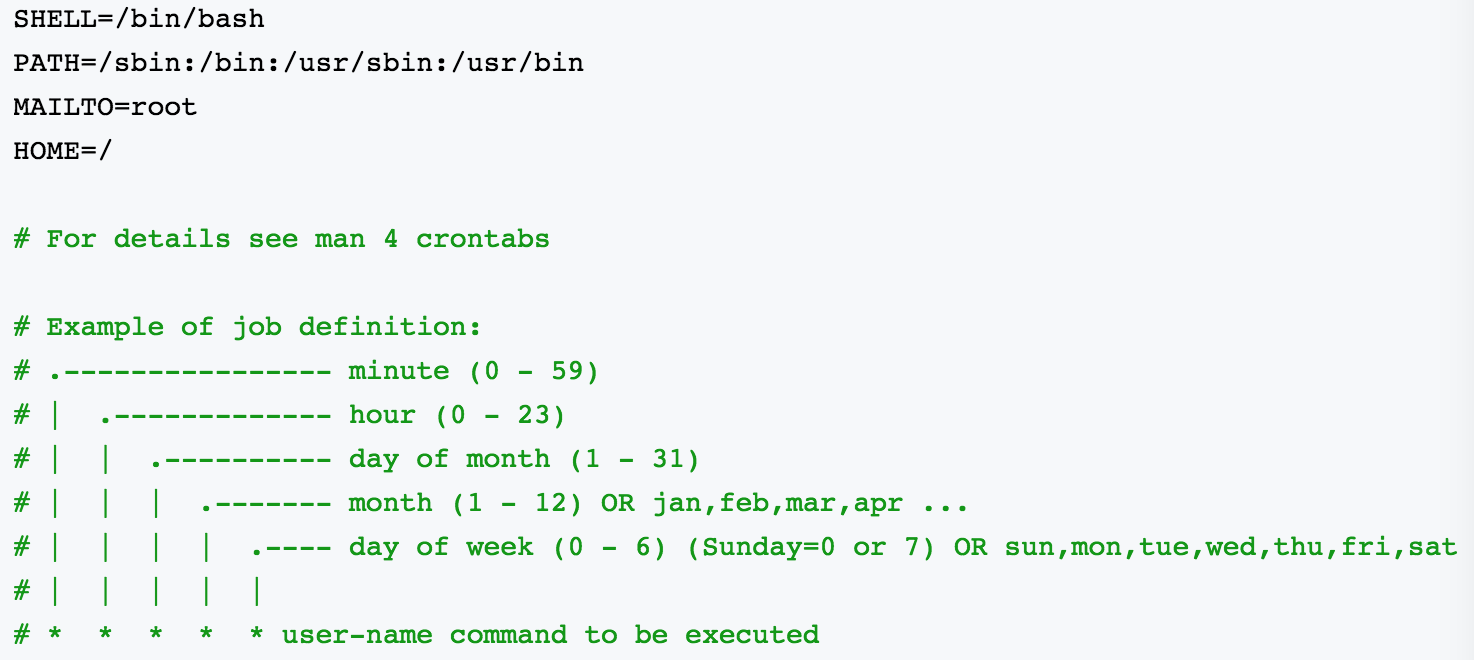
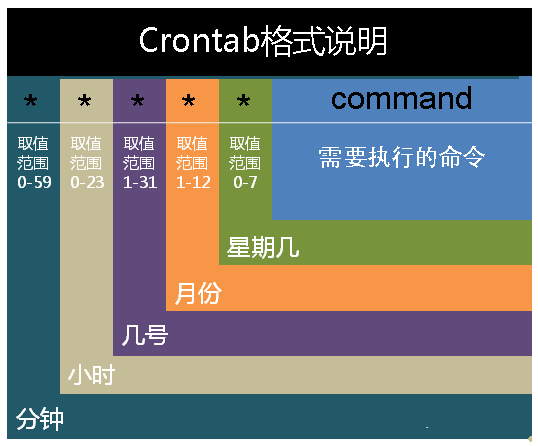
01 * * * * root echo "This command is run at one min past every hour"
17 8 * * * root echo "This command is run daily at 8:17 am"
17 20 * * * root echo "This command is run daily at 8:17 pm"
00 4 * * 0 root echo "This command is run at 4 am every Sunday"
* 4 * * Sun root echo "So is this"
42 4 1 * * root echo "This command is run 4:42 am every 1st of the month"
01 * 19 07 * root echo "This command is run hourly on the 19th of July"
查看定时任务
crontab -l
重启
service cron restart
服务操作说明:

/sbin/service crond start //启动服务
/sbin/service crond stop //关闭服务
/sbin/service crond restart //重启服务
/sbin/service crond reload //重新载入配置
service crond status  //查看crontab服务状态
加入开机自动启动:
chkconfig –level 35 crond on
查看crontab服务是否已设置为开机启动,执行命令:ntsysv